Activate Windows 7 Without Key

Most of you might be aware of the fact that it is possible to activate windows 7 without key or it is easy to use Windows 7 and Vista for 120 days without activation. This is actually possible using the slmgr -rearm command which will extend the grace period from 30 days to 120 days.

However in this post I will show you a small trick using which it is possible to use Windows 7 without activation for approximately an year! Here is a way to do that.
Step-1. Goto “Start Menu -> All Programs -> Accessories“.
Right click on “Command Prompt” and select “Run as Administrator“. If you are not the administrator then you are prompted to enter the password, or else you can proceed to step-2.
Step-2. Now type the following command and hit enter
slmgr -rearm
Step-3. You will be prompted to restart the computer. Once restarted the trial period will be once again reset to 30 days. You can use the above command for up to 3 times by which you can extend the trial period to 120 days without activation.
Step-4. Now comes the actual trick by which you can extend the trial period for another 240 days. Open Registry Editor (type regedit in “Run” and hit Enter) and navigate to the following location:
HKEY_LOCAL_MACHINE\SOFTWARE\Microsoft\Windows NT\CurrentVersion\SoftwareProtectionPlatform
Step-5. In right-side pane, change value of SkipRearm to 1.
Step-6. Now you will be able to use the slmgr -rearm command for another 8 times so that you can skip activation process for another 240 days. So you will get 120 + 240 = 360 days of free Windows 7 usage.
120 days using “slmgr -rearm” command before registry edit

+
240 days using “slmgr -rearm” command after registry edit
= 360 Days

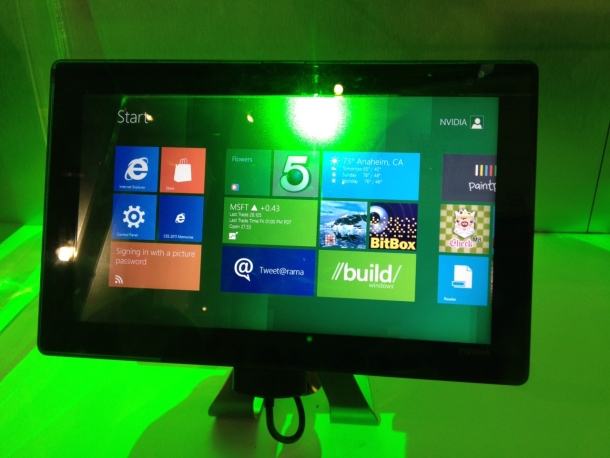
Windows 8 Interface

Windows 8-Experience The Difference

As earlier in his blog, Steve Ballmer announced that Windows 8 preview is now available for download.Steve said that “but its not enough,there is more to come.Still we are happy for the progression of our product”.

There are many improvements and refinements across the Windows 8 Release Preview that folks will see right away, while others are under the hood. For instance, you will find more personalization options for the Start screen (including more colors!), improved multi-monitor support, and new Family Safety features to name just a few. People will also notice and enjoy improvements to the Mail, Photos, and People apps and see new Bing-powered Travel, News and Sports apps. Internet Explorer 10 also has new capabilities in the Windows 8 Release Preview like “flip ahead” and a fully integrated secure and power-optimized Adobe Flash Player. IE10 is also the first browser to feature Do Not Track “on” by default. The improvements and refinements seen in the Windows 8 Release Preview result in a better overall experience that I think everyone will enjoy.

Unlike Windows 7, which was intended to be a more focused, incremental upgrade to the Windows line, Windows 8 has been “reimagined from the chipset to the user experience” to connect more with the user. It features a new user interface based on Microsoft’s Metro design language, similar to that in Windows Phone. The new interface is designed to better suittouchscreen input, along with traditional mouse and keyboard input. A version of Windows 8, called Windows RT, also adds support for the ARM processor architecture in addition to the previously supported x86 microprocessors from Intel, AMD, and VIA.

Proudly powered by WordPress
Theme: Esquire by Matthew Buchanan.